
Get started
Do you have any troubles using Grohe SPA appointment service? We’re here to provide the answers.
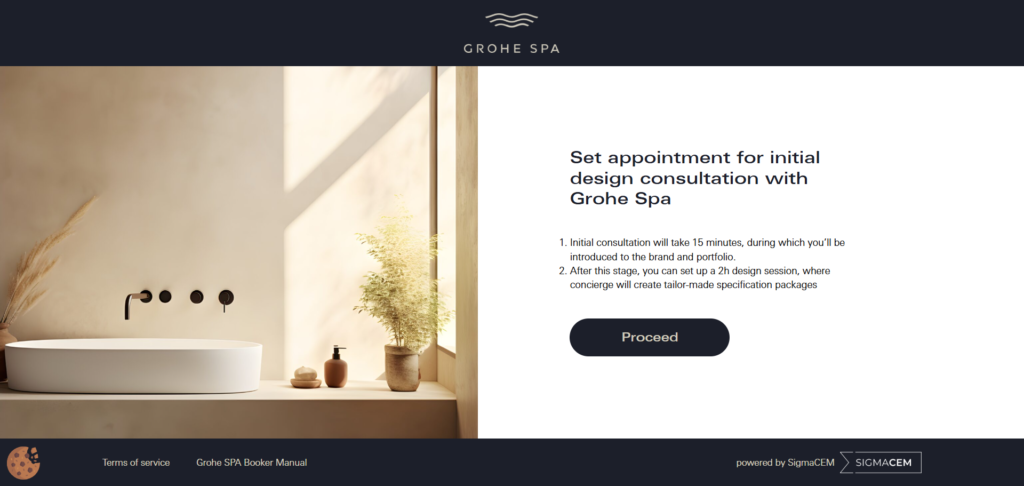
Click “Proceed” to go to the calendar with available consultation hours.
You will find this manual at the site footer
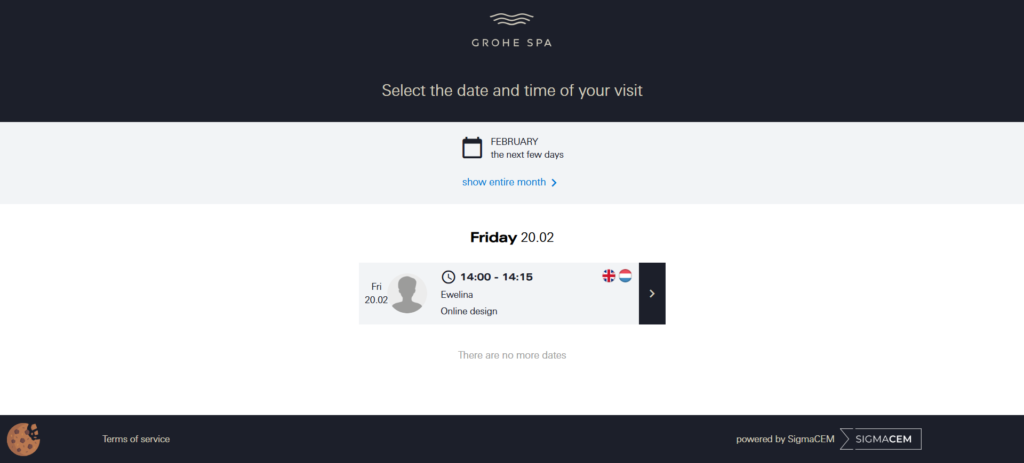
Choose a suitable date from the available options
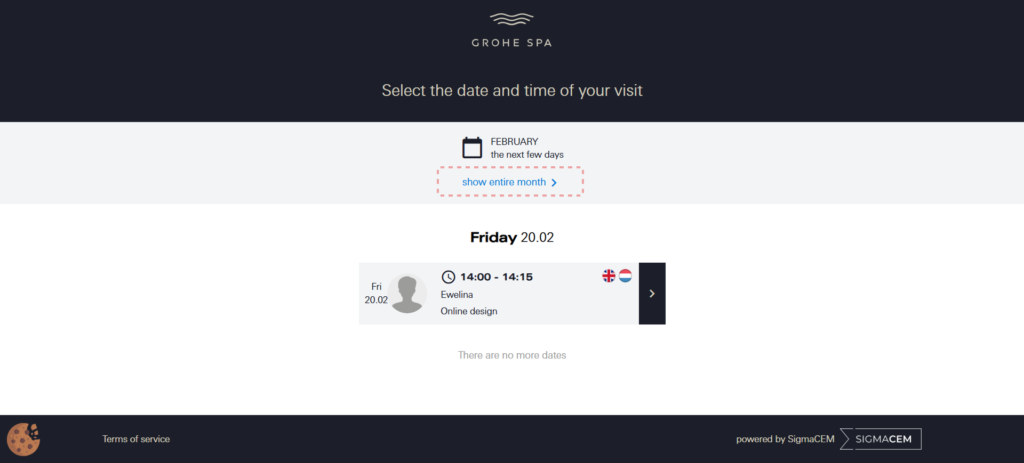
If you want to see consultation availability in a monthly view, click “show entire month”

- Confirm your visit with the designer on the selected date and time
- If the selected date does not suit your preferences, choose another day
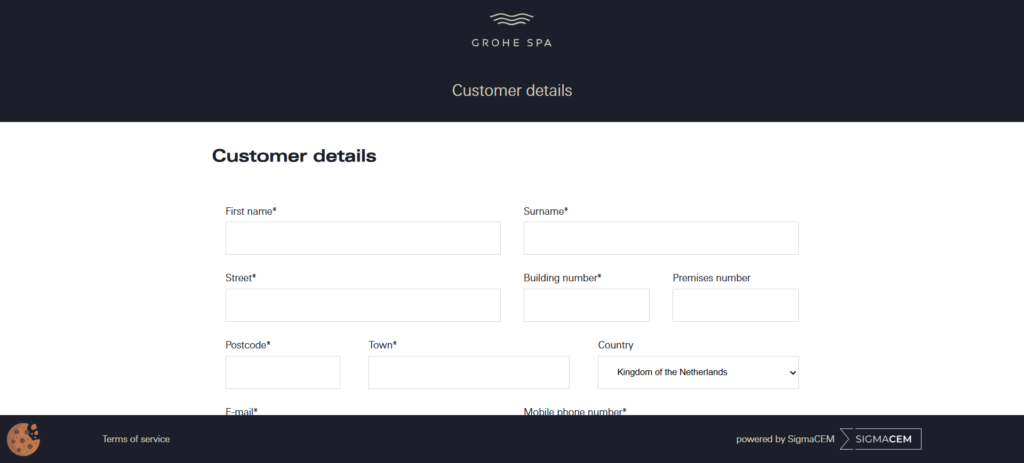
Fill in the required fields in the form
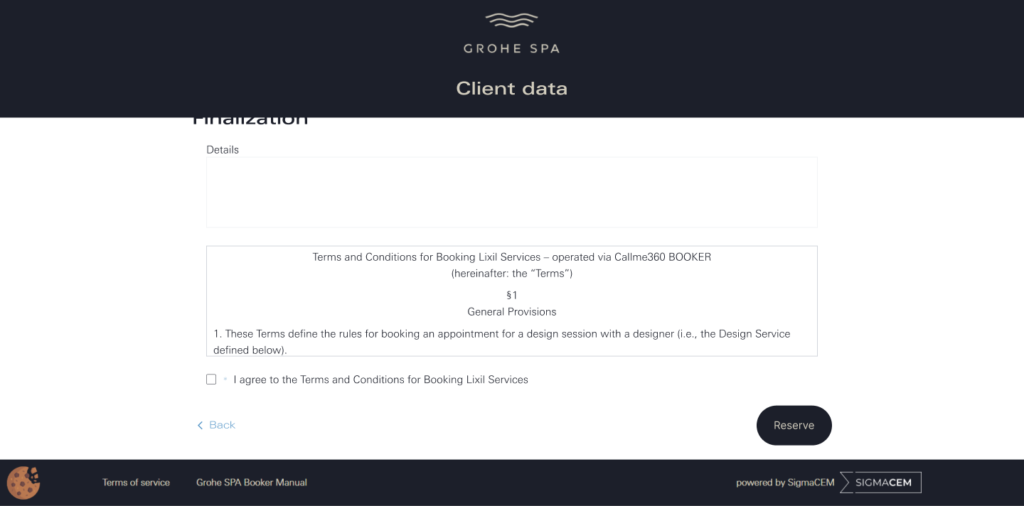
- Accept the required consents.
- If you wish to return to date selection, click here.
- If the information entered is correct, finalize the booking.
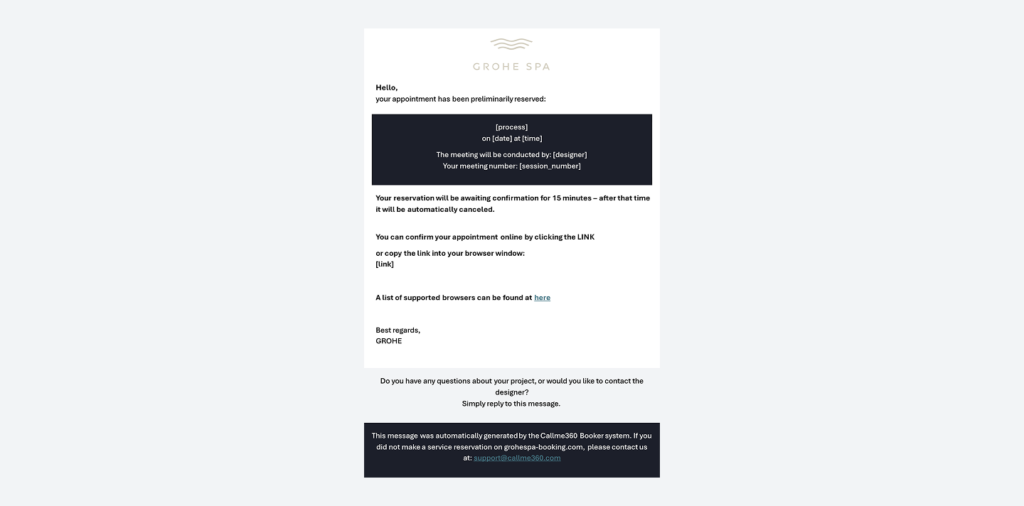
You will receive a preliminary booking reservation via email. Click the link to confirm your appointment.

Your appointment is now complete. After booking the appointment, you will receive a confirmation email with the necessary details for the initial meeting
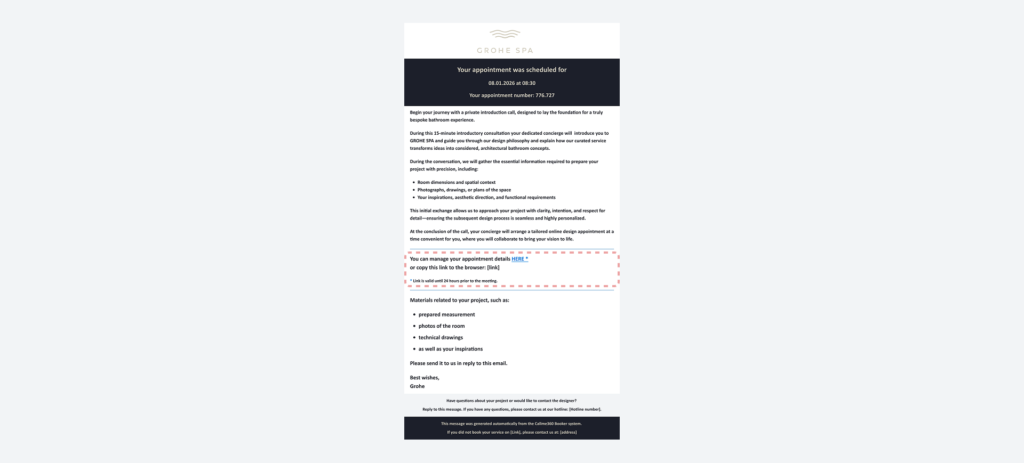
If you want to cancel or reschedule your appointment, you can do so up to 24 hours before the meeting by clicking the link in the email
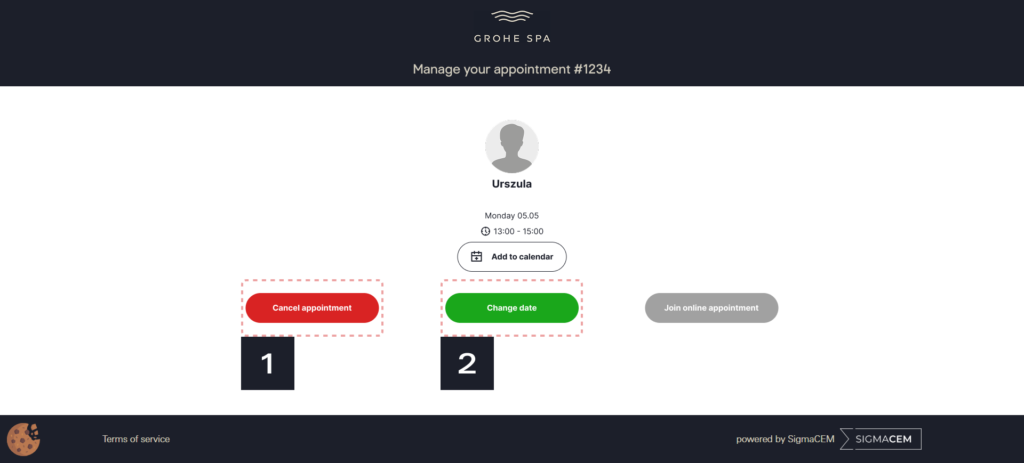
- If you want to cancel the appointment, click “Cancel appointment”
- If you want to reschedule the appointment, click “Change date”
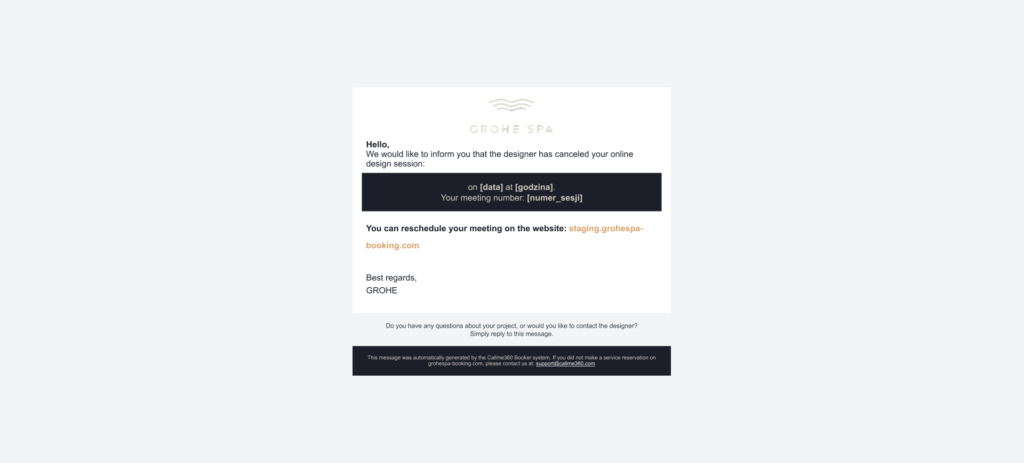
In case of cancellation or changes, you will receive an appropriate email notification

You will receive a reminder email 24 hours and 1 hour before the meeting starts
To join the video call with the designer, click the link in the email
Note: the link is active only at the scheduled meeting time. If you try to join at a different time, the link will be inactive.
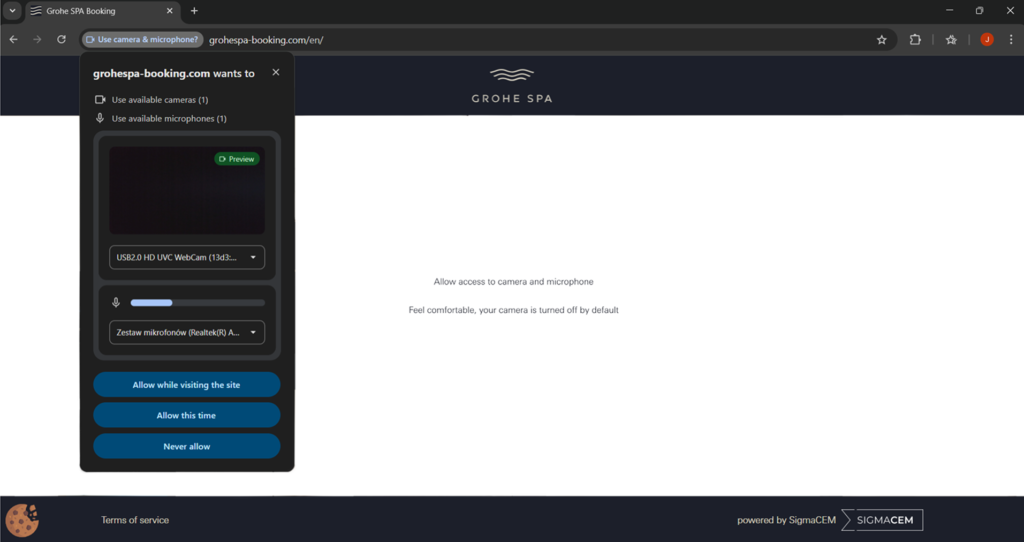
When joining the meeting, you must grant access to your camera and microphone
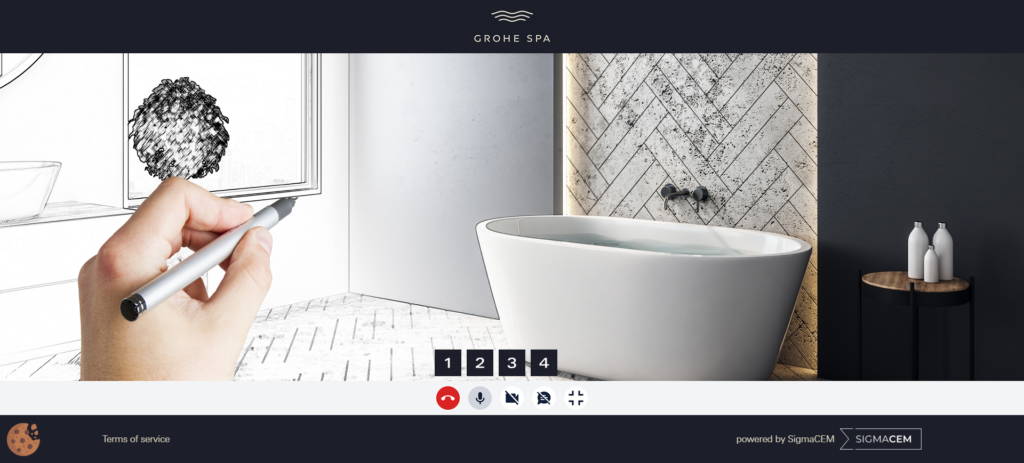
After connecting with the designer, you can: end the call (1), turn off your microphone (2) and camera (3), or switch to text chat (4)
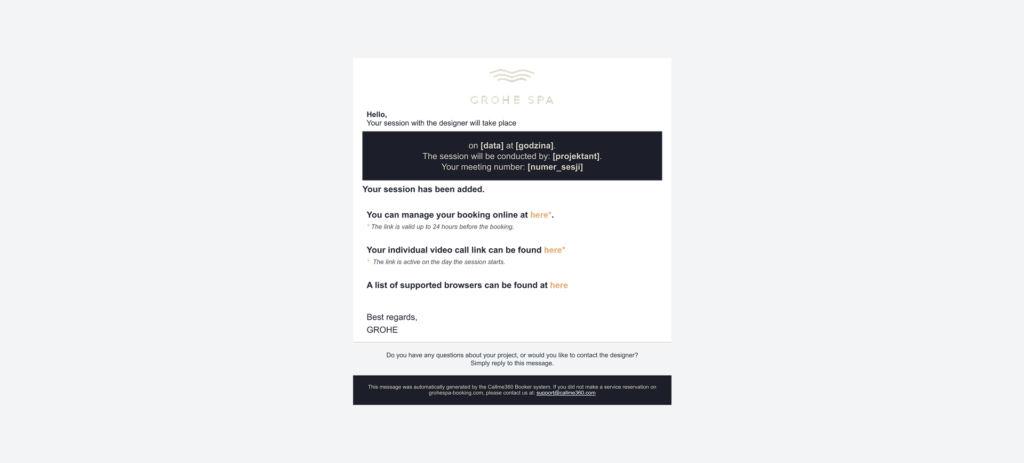
After the initial 15-minute conversation with the designer, a date for a two-hour design session will be scheduled. You will receive a confirmation by email

After the design process is completed, you will receive your project via email

Take the photo of the entire room
Draw the entire room from above and each wall. Trace the shapes with a pencil and describe the individual dimensions with a pen.
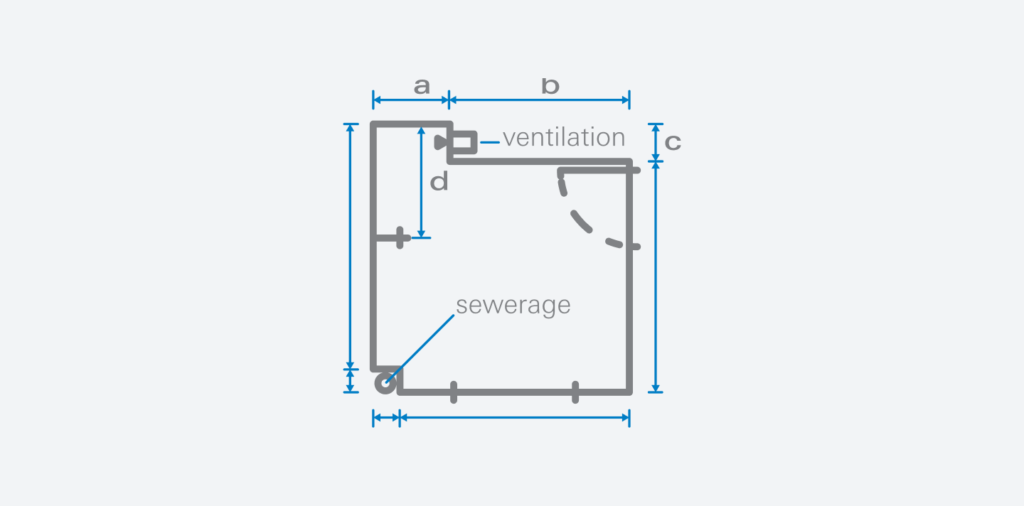
Measure all walls and height of the room
Take a measurement along the floor
a – recess length
b – wall length
c – recess depth
d – distance from the water connection to the wall
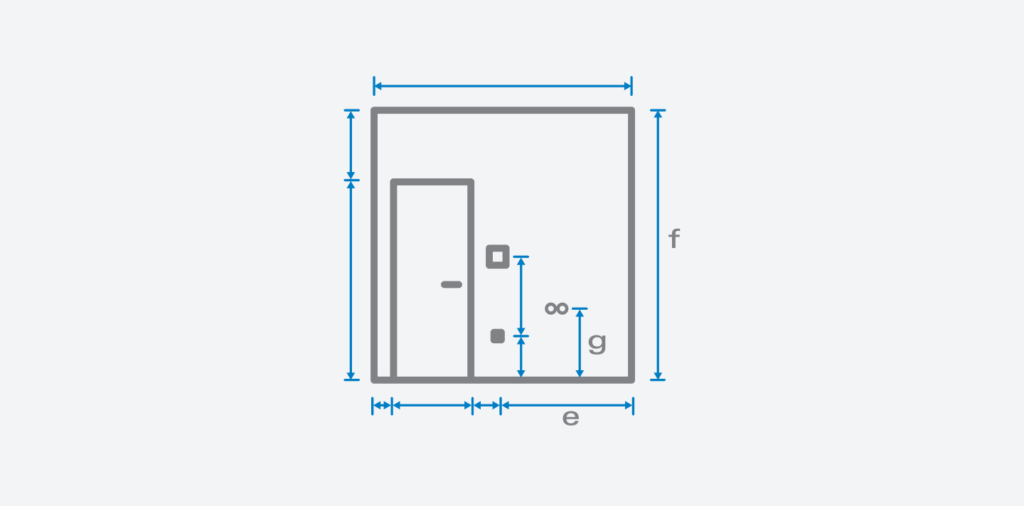
Provide detailed information.
Make additional drawings of the walls. Mark the location of doors and electrical installations (light switches, sockets). Mark the door opening direction. Additionally, measure the water connection. Measure water and gas lines and sockets vertically (from the floor to the centerline of the opening) and horizontally (from the edge of the wall to the centerline of the opening).
e – distance from the wall to the electrical installation
f – room height
g – height of the water connection
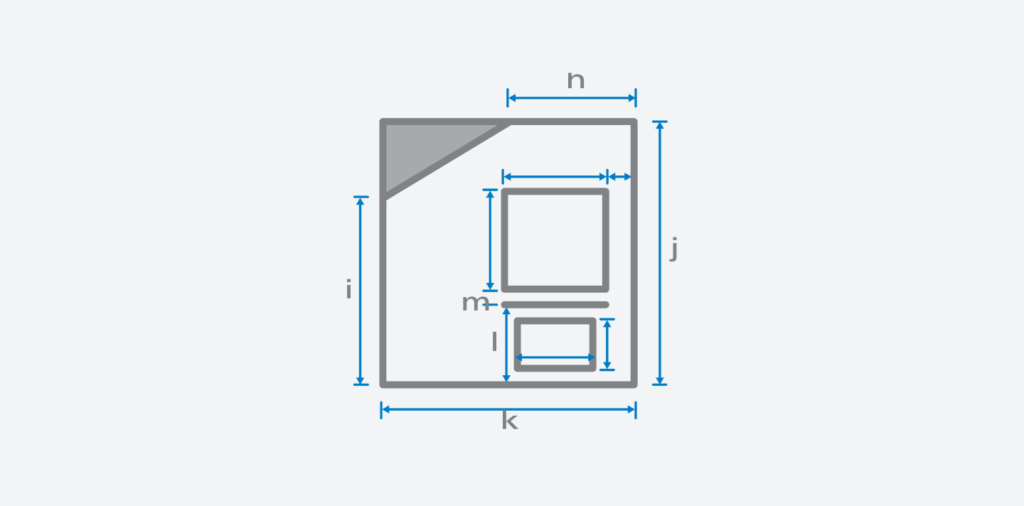
If the room has slopes, take detailed measuremenets, as shown in the drawing.
h – length of the ceiling to the slope
i – height to the slope
j – height of the room
k – distance from the wall with the slope to the opposite wall
l – distance from the floor to the bottom of the window sill
m – thickness of the window sill